Those of you familiar with NiCE know that they develop some useful management packs for SCOM, their latest release is an update of their DB2 MP to v4.03.
A management pack has been released to offer monitoring support for Microsoft Dynamics NAV 2015. It is available for download here.
This monitoring pack supports monitoring the health of Microsoft Dynamics NAV 2015 installations, including the following components:
Computers on which Microsoft Dynamics NAV Server is installed and Microsoft Dynamics NAV Server instances are installed.
This includes monitoring of Microsoft Dynamics NAV Server instances and mounted tenants.
Computers on which Microsoft Dynamics NAV Web Server components are installed. These include the websites and web server instances for the Microsoft Dynamics NAV Web client.
An updated version of the Client OS MP has been released, 6.0.7251.0 can be found here
New in this version:
Changed discovery of Win 8 client computer and Win 8 client OS data sources to fix the issue with discovering Win 10 computers by Win 8 MP. Instead of registry provider now we use registry and WMI to find version of the OS
Added Alert Messages to the following monitors: CPU Percentage Utilization, CPU DPC Time Percentage, CPU Percentage Interrupt Time
Added a group populator for Win 8.1 Business Critical group
Fixed Windows 8 Aggregate Physical Disk Discovery
Fixed Discover Network Adapters (Only Enabled) and Discover Network Adapters (Both Enabled and Disabled) discoveries
Fixed Windows 8 MP Aggregate reports failure issue occurring while running reports under standard service account by granting appropriate permissions in Install and Upgrade sections scripts of DW datasets
It looks like there has been an updated released of the Azure Pack MP but the documentation has not been updated and the version on the download page still shows the original release 1.0.0.161. Hopefully this is corrected soon.
A new version of the Windows Server DNS MP has been released it is available for download here.
New in this version:
Generic presentation management pack Integration (Management pack with generic views and groups).
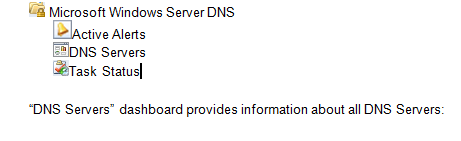
Generic Management Pack Integration: introduced a common folder structure, which will be used by future releases of Windows Server DNS monitoring packs. This management pack enables version-independent generic views and groups, displaying the information about all versions of Windows Server DNS.
Kevin Holman has written a post on how to to discover a Windows Computer as a Network Device in SCOM 2012.
The design choice to not allow snmp discovers of windows devices was questioned heavily when it was announced and caused vendor management packs such as Netbackup not to work.
This is a welcome discovery you can read the full article here. The below is for my record.
On the management server which will run the network discovery rules – browse to the following directory: \Program Files\Microsoft System Center 2012 R2\Operations Manager\Server\NetworkMonitoring\rules\discovery
There is a file present in this directory named ic-post-processor.asl Make a backup copy of this file, I like to name it ic-post-processor.bak, and place this backup copy in the same directly. Now, edit this file, and change the following lines:
ISWINDOWSHOST(systemObj) do {
if (systemObj->Type == “HOST” && systemObj->Vendor == “MICROSOFT”) {
return TRUE ;
}
if (SEARCHSTRING(systemObj->Description, “Windows”)) {
return TRUE ;
}
Microsoft released a technical preview of a management pack for Microsoft Azure:
The Management Pack for Microsoft Azure enables you to monitor the availability and performance of Azure resources that are running on Microsoft Azure. The management pack runs on a specified server pool, and then uses Microsoft Azure REST APIs to remotely discover and collect performance information about the specified Microsoft Azure resources.